

With the rapidly growing number of businesses today, staying ahead of competitors requires more than having innovative ideas. It is necessary to have an efficient execution process as well. That is why no-code automation solutions came into play. Thanks to them, non-technical people can perform automation of repetitive tasks. Thus, it is possible to significantly increase productivity, achieve higher levels of accuracy, and enhance efficiency in general.
What is No-Code Automation?
When it comes to no-code automation, it implies designing and performing automation without coding skills. In other words, users have the opportunity to automate tasks without having to write any code or perform complicated coding activities. The no-code approach allows businesses to automate numerous tasks such as data entry, email management, and customer onboarding.
Benefits of No-Code Automation
The list of advantages that no-code automation can bring to organizations is quite impressive. Among them, one can name:
increased productivity: thanks to no-code automation, it is possible to focus on more important tasks and increase productivity;
enhanced accuracy: with no-code automation, tasks will be completed in time, and there will be no room for mistakes;
Improved customer experience: no-code automation makes responding to customer requests faster thus increasing customer satisfaction;
cost savings: by automating certain tasks, it will be possible to save money on manual labor.
Top No-Code Automation Tools
Now, let us have a look at the most effective no-code automation tools to choose from:
1. Zapier
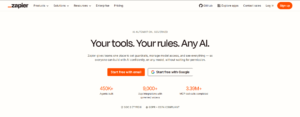
It is an outstanding tool that provides the ability to create automated workflows by connecting numerous web applications. There is no need to know anything about coding as it is possible to easily create customizations and automate tasks. The app connects more than 1,000 web apps including Gmail, Slack, and Salesforce.
2. Automate.io

This is also a great choice for those who wish to implement automated workflows among several web applications. One can automate tasks, connect apps, and manage workflow all without writing codes. Automate.io integrates more than 200 web apps, among them are Google Drive, Trello, and Dropbox.
3. Microsoft Power Automate (Formerly Microsoft Flow)
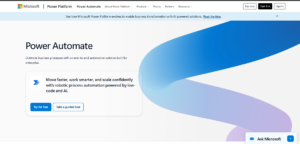
This application provides the ability to automate workflow in several Microsoft applications such as Office 365, Dynamics, SharePoint. Again, there is no need for any coding activity as the user can easily automate tasks, integrate apps, and manage workflow without having any technical skills. Power Automate integrates more than 300 web apps among which are Gmail, Slack, and Salesforce.
4. Nintex
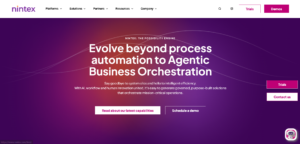
This is another wonderful solution that allows automating workflows across numerous web applications including SharePoint, Office 365, and Dynamics. Nintex enables users to easily create custom automations and manage workflow without any technical knowledge. It integrates more than 200 web apps such as Google Drive, Trello, Dropbox.
5. Workato
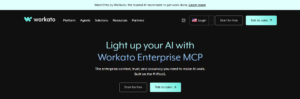
Just like the aforementioned applications, Workato also allows automating workflows across numerous web apps such as Salesforce, Marketo, and NetSuite. There is no need to write any code because everything can be done automatically with Workato. It integrates more than 200 web apps including popular ones like Gmail, Slack, Dropbox.
Best Practices to Implement No-Code Automation
To benefit from no-code automation tools, one has to follow certain steps:
– identify areas for automation
– select an appropriate tool
– design and test workflow
– monitor and optimize the process.
Conclusion
As one can see, no-code automation is a powerful approach to automate workflows and processes thus improving productivity and accuracy. With the help of the top no-code automation tools mentioned above, one will be able to easily automate tasks, increase efficiency, and focus on other crucial activities.