

To stay competitive in today’s fast-paced business world, you need more than just top-quality products or services. You need an efficient workflow, which will enable you to work more effectively. Failing to streamline operations may result in low productivity and inefficiency, which may cause businesses to miss their deadlines and waste valuable time and other resources. Fortunately, the development of new automation tools makes this issue less pressing. Automation tools are essential for handling repetitive tasks automatically, increasing productivity and efficiency, and working on important tasks that will boost the performance of your company. Using automation tools can help your organization enhance its work efficiency, reduce labor costs, and increase its competitiveness.
The Advantages of Automation Tools
Automation tools offer numerous advantages that will change how your organization functions. When you use automation tools, you will be able to perform the following activities and achieve the desired results:
– Reduce manual labor and minimize the risk of making errors
– Increase productivity and efficiency
– Enhance data accuracy and consistency
– Improve customer satisfaction by offering quicker responses
– Increase employee motivation and engagement
– Create a competitive advantage for your business
Top Automation Tools for Enhanced Work Efficiency
Below are some examples of top automation tools you can implement in your business and boost work efficiency.
1. Zapier

This is a famous automation tool that allows users to connect various web apps and automate tasks quickly. With 1,000+ integrations, Zapier helps users automate the following tasks:
– Data entry and processing
– Email notifications and follow-ups
– Social media posting and scheduling
– Customer service and support
2. IFTTT (If This Then That)

This is yet another popular automation tool allowing users to create and automate tasks using recipes. This automation tool supports various channels and applets and enables users to:
– Automate social media posting and scheduling
– Automate email notifications and follow-ups
– Automate data entry and processing
– Automate customer service and support
3. Automate.io

This cloud-based automation tool helps you handle tasks in various web applications. It comes with an intuitive interface and drag-and-drop functionality, making it suitable for businesses of any scale. The automation capabilities of Automate.io include:
– Data entry and processing
– Email notifications and follow-ups
– Social media posting and scheduling
– Customer service and support
4. Microsoft Power Automate

Microsoft Power Automate, formerly known as Microsoft Flow, is a popular automation tool that helps users handle tasks in various web applications. It is equipped with numerous features and has an easy-to-use interface. Among the automation capabilities of Microsoft Power Automate, there are:
– Data entry and processing
– Email notifications and follow-ups
– Social media posting and scheduling
– Customer service and support
5. Process Street
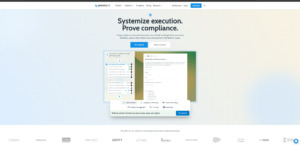
This is a workflow automation tool helping users handle tasks in various teams and departments. It comes with an intuitive interface and drag-and-drop functionality. Some examples of automation capabilities offered by Process Street are:
– Workflow creation and management
– Task assignment and tracking
– Data entry and processing
– Customer service and support
Selecting the Right Automation Tool for Your Business
Selecting the most suitable automation tool is determined by the following factors:
– Business size and complexity: Larger organizations require more complex tools than small businesses.
– Industry and specific needs: You should choose automation tools according to your industry’s peculiarities and specific needs.
– User experience and usability: Consider user experience when selecting automation tools for your business.
– Scalability and flexibility: Opt for tools that will allow you to scale and adapt to new challenges in the future.
Implementing Automation Tools in Your Business
Implementing automation tools in your organization involves several steps you should follow to get better results. They include the following:
– Identify automation opportunities: Examine your organization’s processes and look for automation opportunities.
– Choose the proper automation tool: Find an automation tool that will fit your business needs.
– Configure and integrate the chosen tool: Integrate the automation tool into your business processes.
– Train your users: Ensure your employees are trained in using the selected automation tool properly.
– Monitor and assess the outcomes: Monitor and evaluate the effectiveness of the implementation.